SLA System
Previous: AI System
Next: Deployment
The SLA system sets deadlines, tracks risk, and escalates tickets when work is taking too long.
1) What SLA Does
- Sets response and resolution deadlines from the ticket priority.
- Tracks whether a ticket is on time, at risk, or breached.
- Raises escalation level when configured time windows are exceeded.
2) SLA Status Meaning
on_track: the ticket is still comfortably inside the SLA window.at_risk: the ticket is still open, but time is running out.breached: the due time has passed.
3) Rules
- Default priority windows are persisted in SLA rules and can be changed via system configuration endpoints.
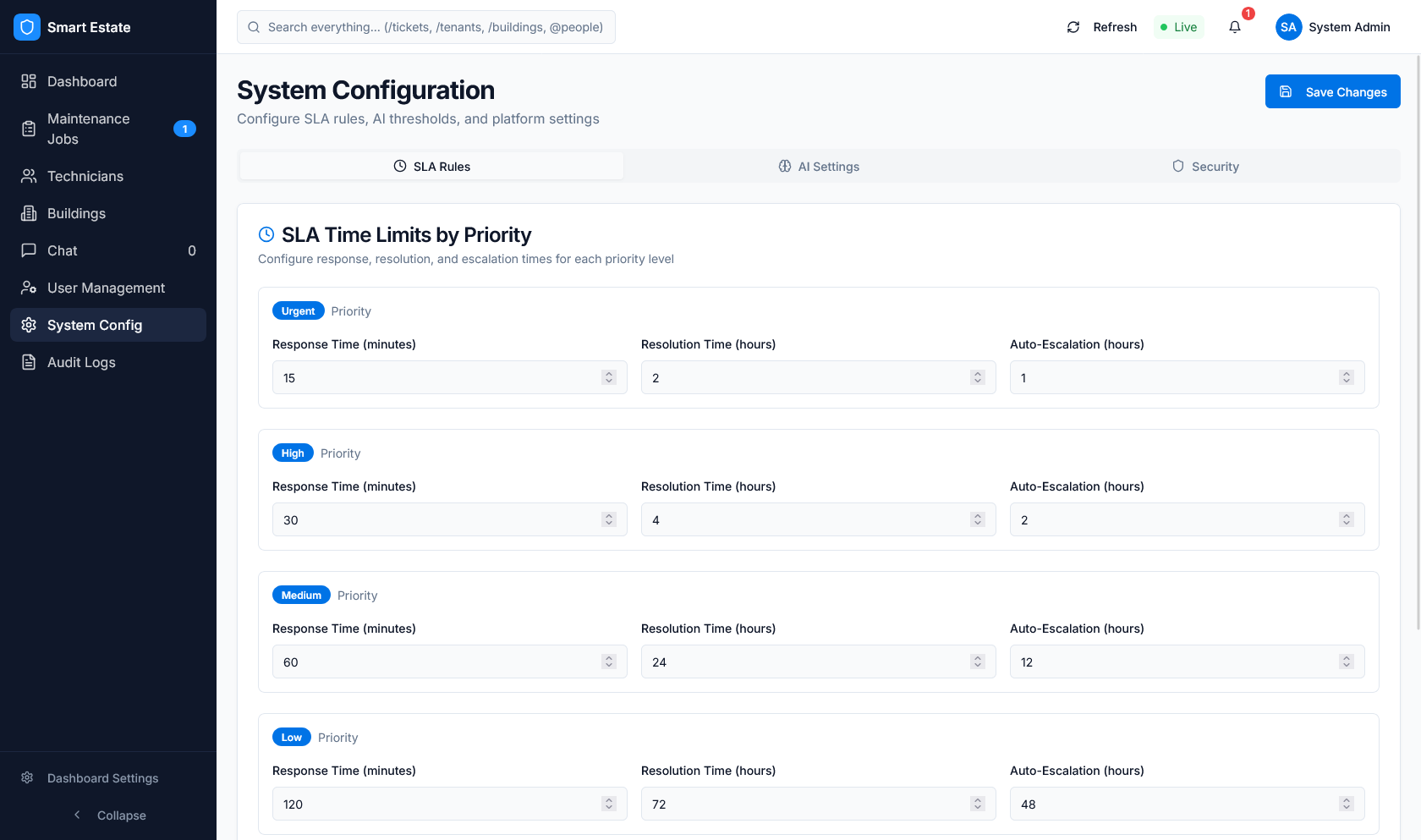 Caption: SLA-related controls in current dashboard settings UI.
4) How It Works
Ticket created
    -> priority rule lookup
    -> response_due_at and resolution_due_at set
    -> SLA monitor checks elapsed time
    -> status changes to on_track, at_risk, or breached
    -> escalation level updates when needed
5) What Users See In The Dashboard
- Ticket SLA status in the jobs table.
- Countdown and progress indicators on ticket rows.
- Breached and escalated ticket views for operations users.
- SLA settings for response, resolution, and escalation windows.
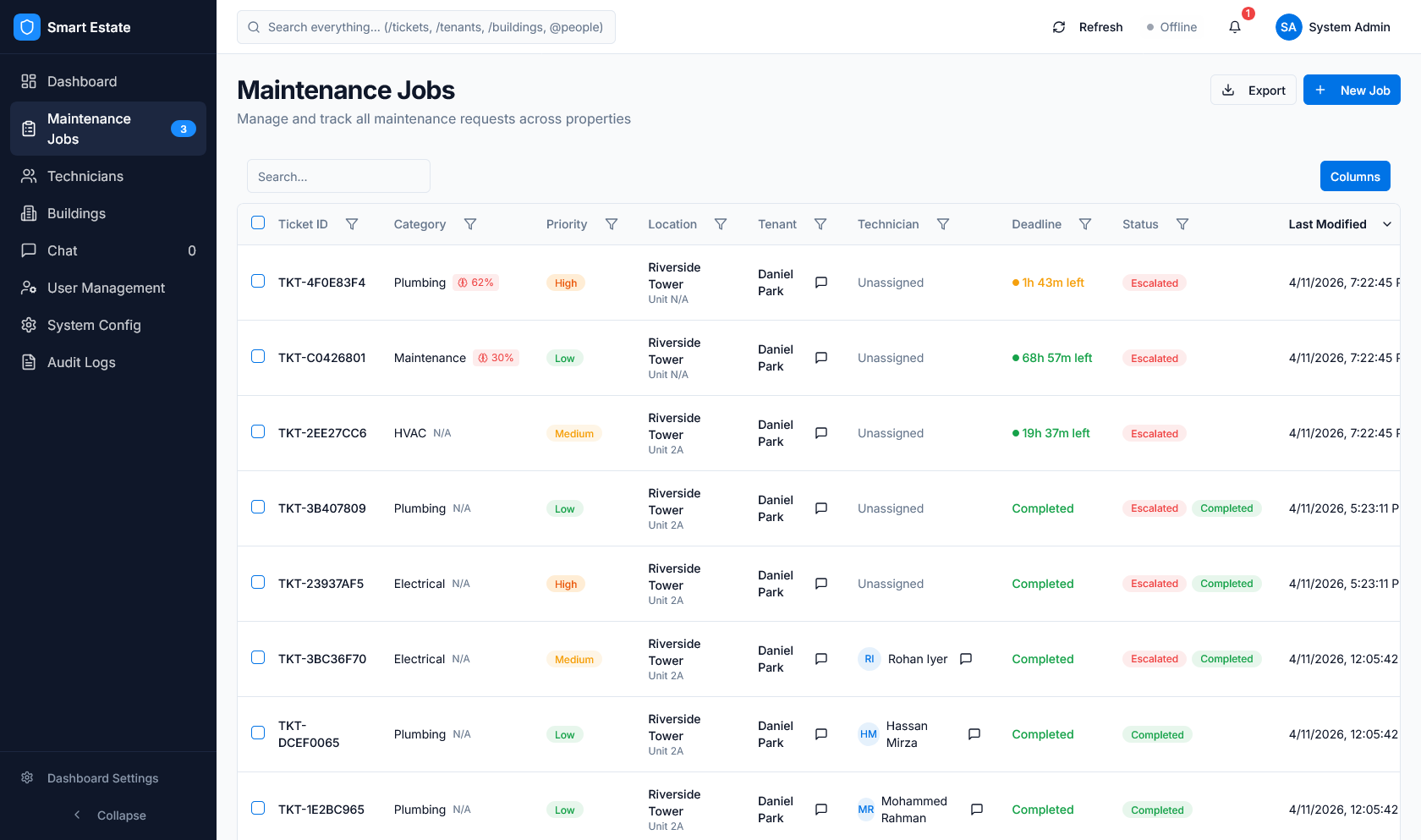 Caption: SLA timing and escalation state surfaced directly in the jobs table.
Previous: AI System
Next: Deployment