Demo Guide
This guide shows the main Smart Estate workflow end to end.
Before You Start
- Sign in as an admin or operations user.
- Make sure the backend and dashboard are running.
- Use a ticket priority that supports visible SLA movement, such as high or urgent.
Step 1: Create a Fast-SLA Ticket
Action: create a ticket with simulate_fast_sla enabled.
Expected result: the ticket appears with short due times.
Example payload:
{
  "title": "Kitchen sink leak",
  "description": "Water is leaking under the sink.",
  "building_id": "building-1",
  "apartment_id": "apartment-12",
  "priority": "high",
  "simulate_fast_sla": true
}
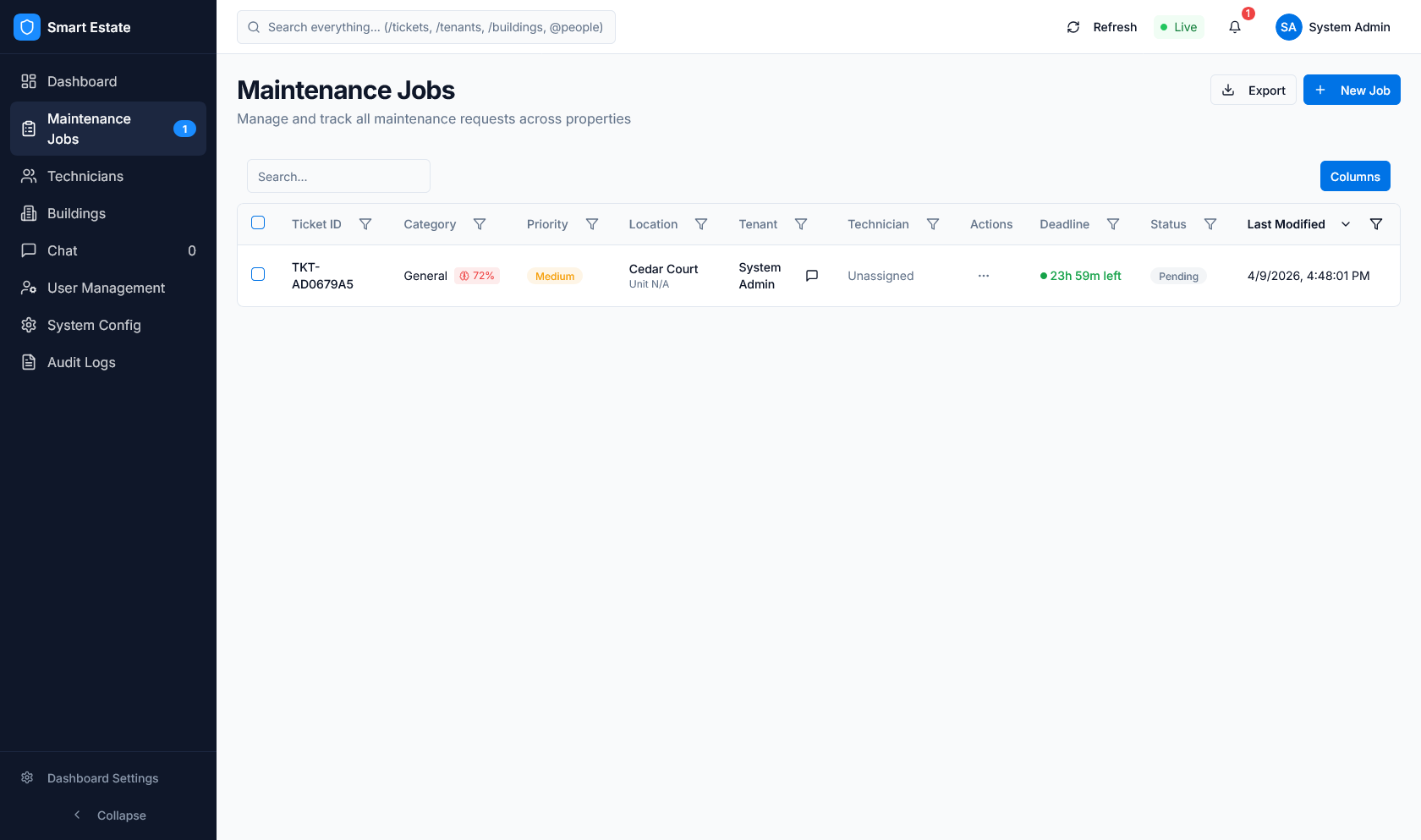 Caption: Ticket row showing SLA timing, assignment, and AI result.
Step 2: Show AI Classification
Action: open the ticket detail view.
Expected result: the AI output is visible.
- predicted category
- confidence score
- assigned technician if one is available
If the ticket came from chat or media, mention the intake path that produced it.
Step 3: Show SLA Progress
Action: refresh the ticket or dashboard.
Expected result: SLA progress advances.
Highlight:
sla_statusresponse_due_atresolution_due_atsla_progress_percentage
Step 4: Force a Breach
Action: call POST /tickets/{id}/force-breach.
Expected result: the ticket becomes overdue and updates to breached.
Step 5: Show Escalation
Action: open the ticket or SLA breach view.
Expected result: escalation is visible in the record and list views.
Highlight:
- breached ticket list
- escalated ticket list
- escalation level on the ticket record
- audit log entry for the breach or escalation event
Step 6: Show Metrics Update
Action: open the dashboard metrics or /metrics/system.
Expected result: the counts reflect the breached ticket.
Show the change in:
- breached ticket count
- escalated ticket count
- SLA compliance rate
- AI confidence metric
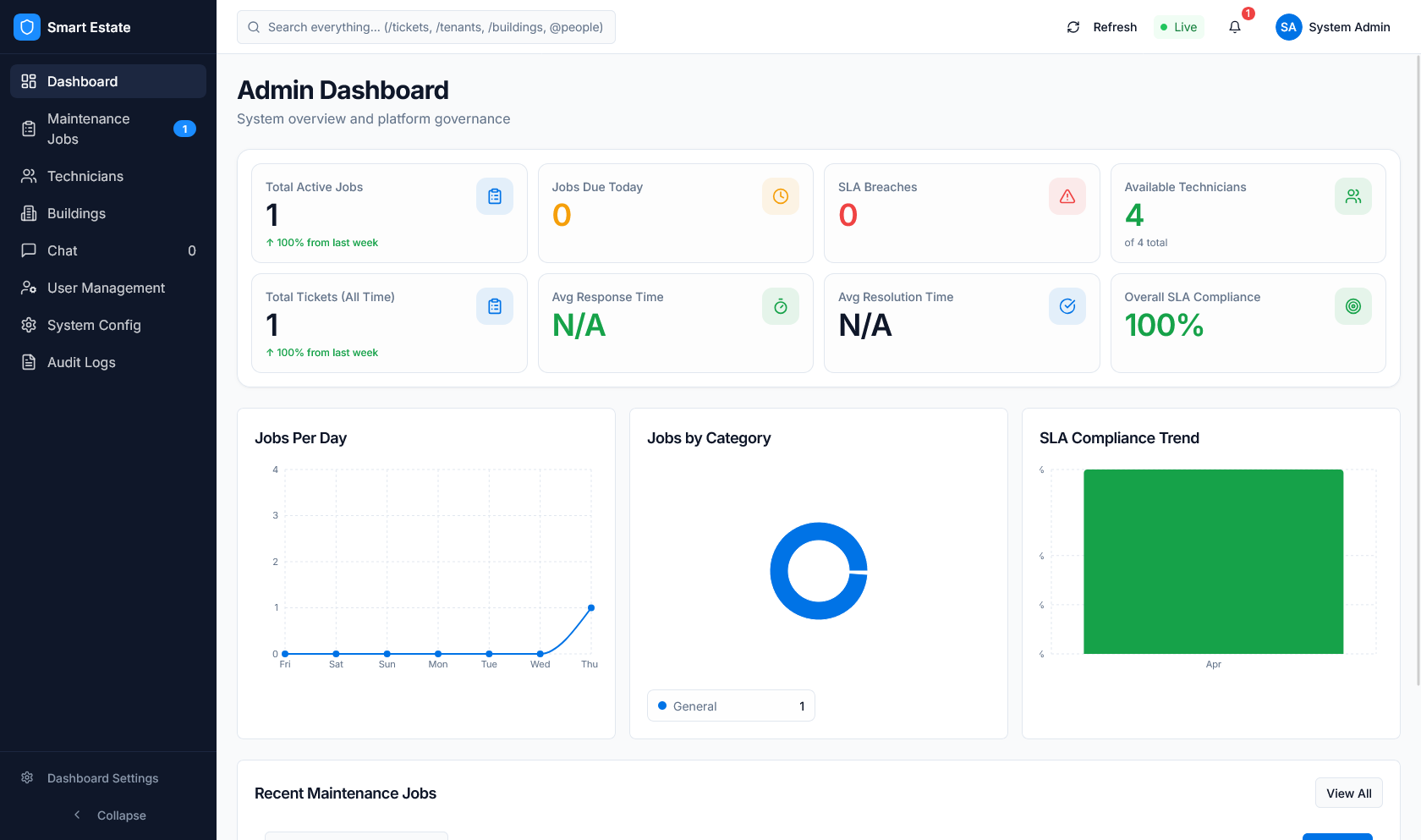 Caption: Dashboard KPIs and charts after the ticket state changes.
Suggested Demo Order
- Create ticket with
simulate_fast_sla. - Show AI classification and SLA dates.
- Wait briefly so the progress bar changes.
- Force a breach.
- Show escalation and SLA breach views.
- Show system metrics.